%20--%3e%3csvg%20version='1.1'%20id='Layer_1'%20xmlns='http://www.w3.org/2000/svg'%20xmlns:xlink='http://www.w3.org/1999/xlink'%20x='0px'%20y='0px'%20viewBox='0%200%20120.17%2045.43'%20style='enable-background:new%200%200%20120.17%2045.43;'%20xml:space='preserve'%3e%3cg%3e%3cpath%20d='M32.33,0v16.13c0,2.21-0.42,4.3-1.26,6.26c-0.84,1.97-2,3.7-3.49,5.18c-1.49,1.49-3.2,2.65-5.15,3.49%20c-1.94,0.84-4.04,1.26-6.3,1.26c-2.21,0-4.3-0.42-6.26-1.26c-1.97-0.84-3.68-2-5.15-3.49c-1.46-1.49-2.62-3.21-3.46-5.18%20C0.42,20.42,0,18.34,0,16.13V0h6.41v16.13c0,1.34,0.25,2.62,0.76,3.82c0.5,1.2,1.2,2.24,2.09,3.13c0.89,0.89,1.92,1.58,3.1,2.09%20c1.18,0.5,2.44,0.76,3.78,0.76c1.34,0,2.62-0.25,3.82-0.76c1.2-0.5,2.24-1.2,3.13-2.09c0.89-0.89,1.58-1.93,2.09-3.13%20c0.5-1.2,0.76-2.47,0.76-3.82V0H32.33z'%20fill='%232563eb'%20/%3e%3cpath%20d='M50.4,0.14c2.26,0,4.36,0.42,6.3,1.26c1.94,0.84,3.66,1.99,5.15,3.46c1.49,1.46,2.65,3.17,3.49,5.11%20c0.84,1.94,1.26,4.04,1.26,6.3c0,2.21-0.42,4.3-1.26,6.26c-0.84,1.97-2,3.7-3.49,5.18c-1.49,1.49-3.2,2.65-5.15,3.49%20c-1.94,0.84-4.04,1.26-6.3,1.26h-9.72v12.96h-6.41V16.27c0-2.26,0.42-4.36,1.26-6.3c0.84-1.94,1.99-3.65,3.46-5.11%20c1.46-1.46,3.18-2.62,5.15-3.46C46.1,0.56,48.19,0.14,50.4,0.14z%20M54.22,25.31c1.2-0.5,2.24-1.2,3.13-2.09%20c0.89-0.89,1.58-1.93,2.09-3.13c0.5-1.2,0.76-2.47,0.76-3.82c0-1.34-0.25-2.6-0.76-3.78c-0.5-1.18-1.2-2.21-2.09-3.1%20c-0.89-0.89-1.93-1.58-3.13-2.09c-1.2-0.5-2.47-0.76-3.82-0.76c-1.34,0-2.6,0.25-3.78,0.76c-1.18,0.5-2.21,1.2-3.1,2.09%20c-0.89,0.89-1.58,1.92-2.09,3.1c-0.5,1.18-0.76,2.44-0.76,3.78v9.79h9.72C51.74,26.06,53.02,25.81,54.22,25.31z'%20fill='%232563eb'/%3e%3cpath%20d='M94.03,20.95l4.54,4.54l-2.23,2.23c-1.54,1.54-3.29,2.71-5.26,3.53c-1.97,0.82-4.03,1.22-6.19,1.22%20c-2.16,0-4.22-0.41-6.19-1.22c-1.97-0.82-3.72-1.99-5.26-3.53c-1.58-1.58-2.76-3.37-3.53-5.36c-0.77-1.99-1.15-4.02-1.15-6.08%20c0-2.06,0.38-4.08,1.15-6.05c0.77-1.97,1.94-3.74,3.53-5.33s3.37-2.77,5.36-3.56c1.99-0.79,4.02-1.19,6.08-1.19%20c2.06,0,4.09,0.4,6.08,1.19c1.99,0.79,3.78,1.98,5.36,3.56l2.23,2.23L80.64,25.06c1.82,0.91,3.75,1.21,5.8,0.9%20c2.04-0.31,3.83-1.24,5.36-2.77L94.03,20.95z%20M77.98,9.36c-1.92,1.92-2.88,4.22-2.88,6.91c0,1.49,0.33,2.9,1.01,4.25%20c0.58-0.58,1.45-1.45,2.63-2.63c1.18-1.18,2.42-2.42,3.74-3.74c1.32-1.32,2.59-2.58,3.82-3.78c1.22-1.2,2.17-2.14,2.84-2.81%20c-1.83-0.91-3.76-1.22-5.8-0.94C81.3,6.91,79.51,7.82,77.98,9.36z'%20fill='%232563eb'%20/%3e%3cpath%20d='M120.17,0v6.41h-3.24c-1.35,0-2.61,0.25-3.78,0.76c-1.18,0.5-2.21,1.2-3.1,2.09c-0.89,0.89-1.58,1.92-2.09,3.1%20c-0.5,1.18-0.76,2.44-0.76,3.78v16.2h-6.48v-16.2c0-2.26,0.42-4.36,1.26-6.3c0.84-1.94,2-3.65,3.49-5.11%20c1.49-1.46,3.21-2.62,5.18-3.46c1.97-0.84,4.06-1.26,6.27-1.26H120.17z'%20fill='%232563eb'/%3e%3c/g%3e%3c/svg%3e)
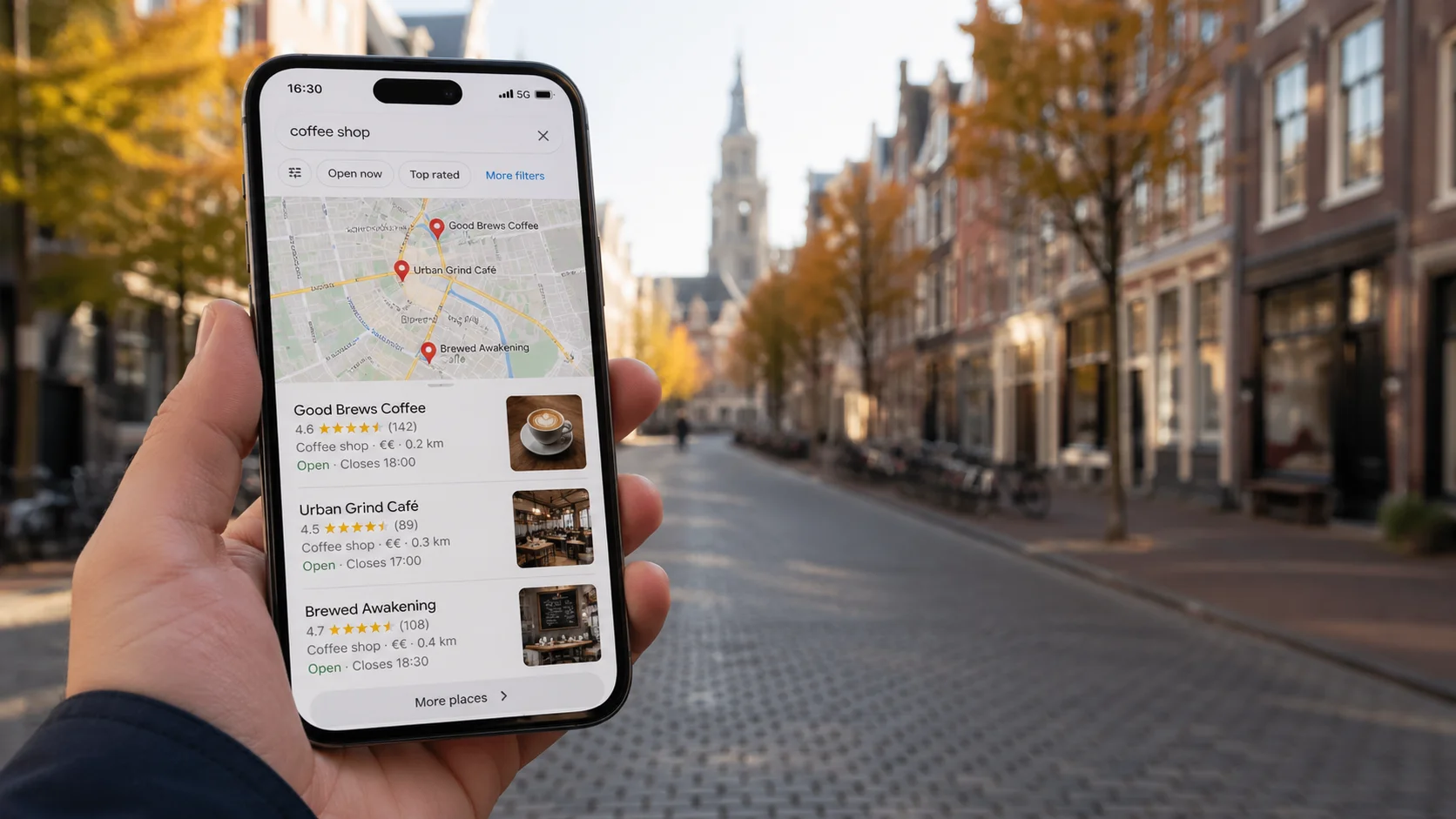
Google Business Profile (GBP) — formerly Google My Business — is in 2026 the single most important asset in your local SEO strategy. For queries like “dentist near me” or “plumber Brooklyn,” Google no longer shows ten organic results — it shows the Local Pack (3 businesses with a map), AI Overview, and only then the traditional ranking. If you’re not in that top three, for 80%+ of users you simply don’t exist.
According to the 2026 Local Search Ranking Factors, the primary GBP category is still the single strongest ranking factor in the Local Pack. Profiles with 100% information completeness rank on average 50% higher than partially filled ones, and profiles with professional photos get 35% more clicks (Bloggingwizard, 2026 GBP statistics).
This guide is everything I’ve learned in 15 years working with local businesses — with a focus on GBP features most competitors leave empty, even though they’re free and genuinely move the ranking needle.
What is Google Business Profile in 2026
GBP is a public business profile in the Google ecosystem: it appears in Maps, in the Local Pack, in AI Overviews as a citable source, and in the knowledge panel next to brand search results. Since 2024 you manage it directly from Google Search (search your business name in Google, click “Edit profile” in the panel) — the standalone business.google.com tool was deprecated.
Business profiles are free, but their impact on customer acquisition is now greater than the impact of the website itself for most local queries. For small service businesses, GBP can generate 60–70% of all organic inquiries.
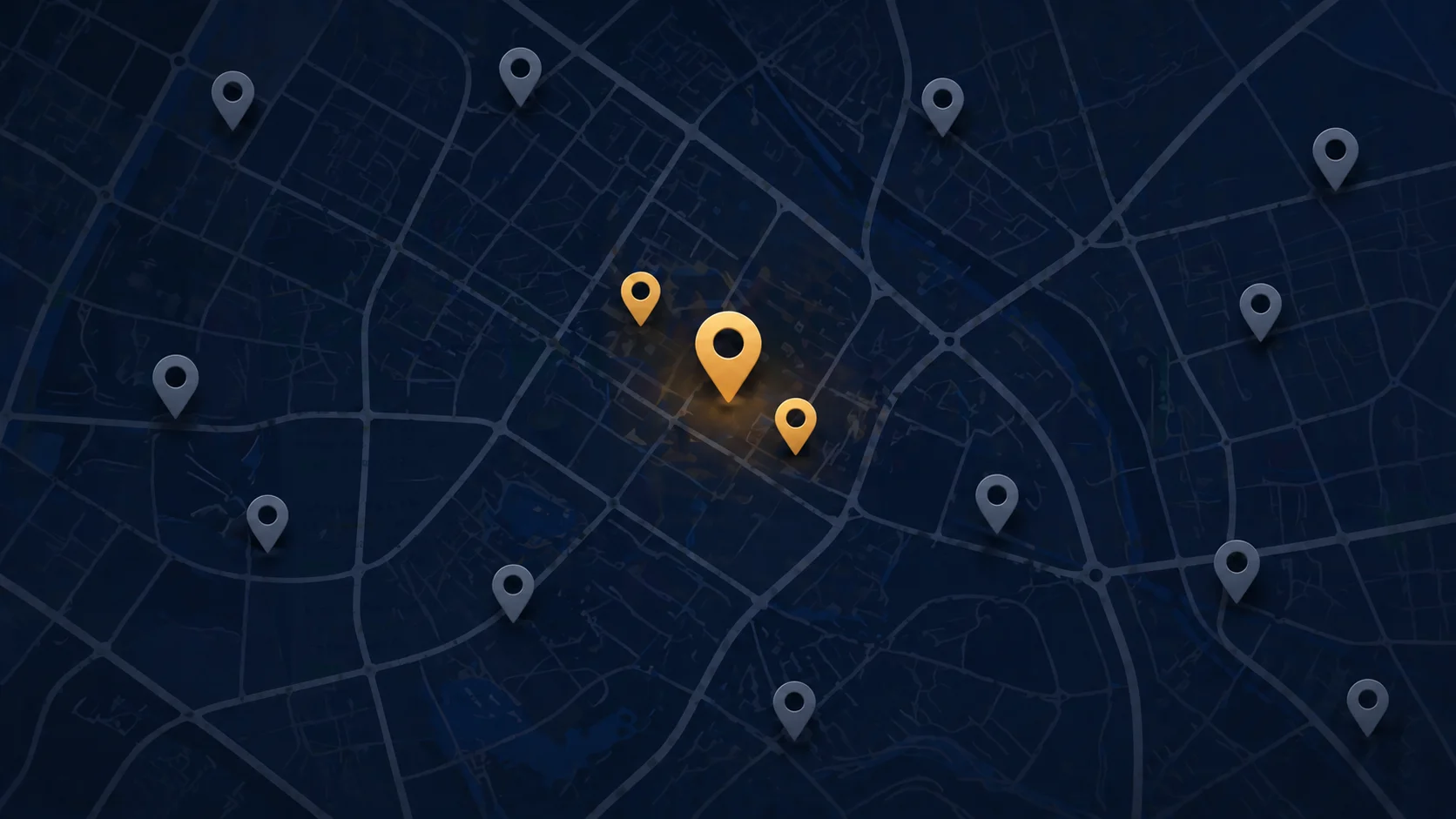
Setting up and verifying GBP — step by step
1. Check whether the profile already exists
Google auto-creates draft profiles based on data from map sources, user reviews, and external feeds. Before you create a new one, search the business name + city in Maps. If a profile exists, click “Claim this business” instead of creating a duplicate. Duplicates are one of the most common causes of Local Pack ranking issues.
2. Choose business type: storefront vs Service Area Business (SAB)
The first big decision:
- Storefront — you have a physical address customers visit. Restaurant, hair salon, dental office.
- SAB (Service Area Business) — you travel to customers. Plumber, mobile mechanic, cleaning service, wedding photographer. The address is hidden; you define a service area (states, cities, zip codes).
- Hybrid — you have an office/showroom but mostly travel. GBP allows both.
Your choice directly affects how Google ranks the profile for “near me” queries. SABs always compete with businesses physically located in the user’s city — even if you can be there in 10 minutes.
3. Verification in 2026
Google offers different verification paths depending on the profile (official Google docs):
- Video — the most common method today, required for most SABs and new profiles in 2026. Video means a single continuous 30-second to 5-minute recording showing the location, exterior signage, interior, and business documents. Result in 5 business days.
- Phone / SMS — increasingly rare, mainly for verified industries.
- Email — rare, for some business domains only.
- Postcard — fading out but still possible for some industries.
Practical tip: before recording the video, confirm the signage is visible, business documents (registration, license) are in frame, and the interior matches the declared category. For SABs, show a branded vehicle with visible logo, license plate, and odometer with the engine running — that’s now the standard requirement (ALM Corp — verification flow 2026). The most common rejections concern home-based profiles without legible branding.
After verification: the next 2 weeks are an algorithmic high-scrutiny window. You can add photos and reply to reviews, but do not change the name, address, phone, primary category, or website URL — you risk re-verification.
Underrated GBP features that actually move ranking
This is the section the article exists for. In local SEO most energy goes into reviews and citations — meanwhile inside GBP itself there are features competitors leave empty and Google rewards.
Services tab — the most underrated feature in 2026
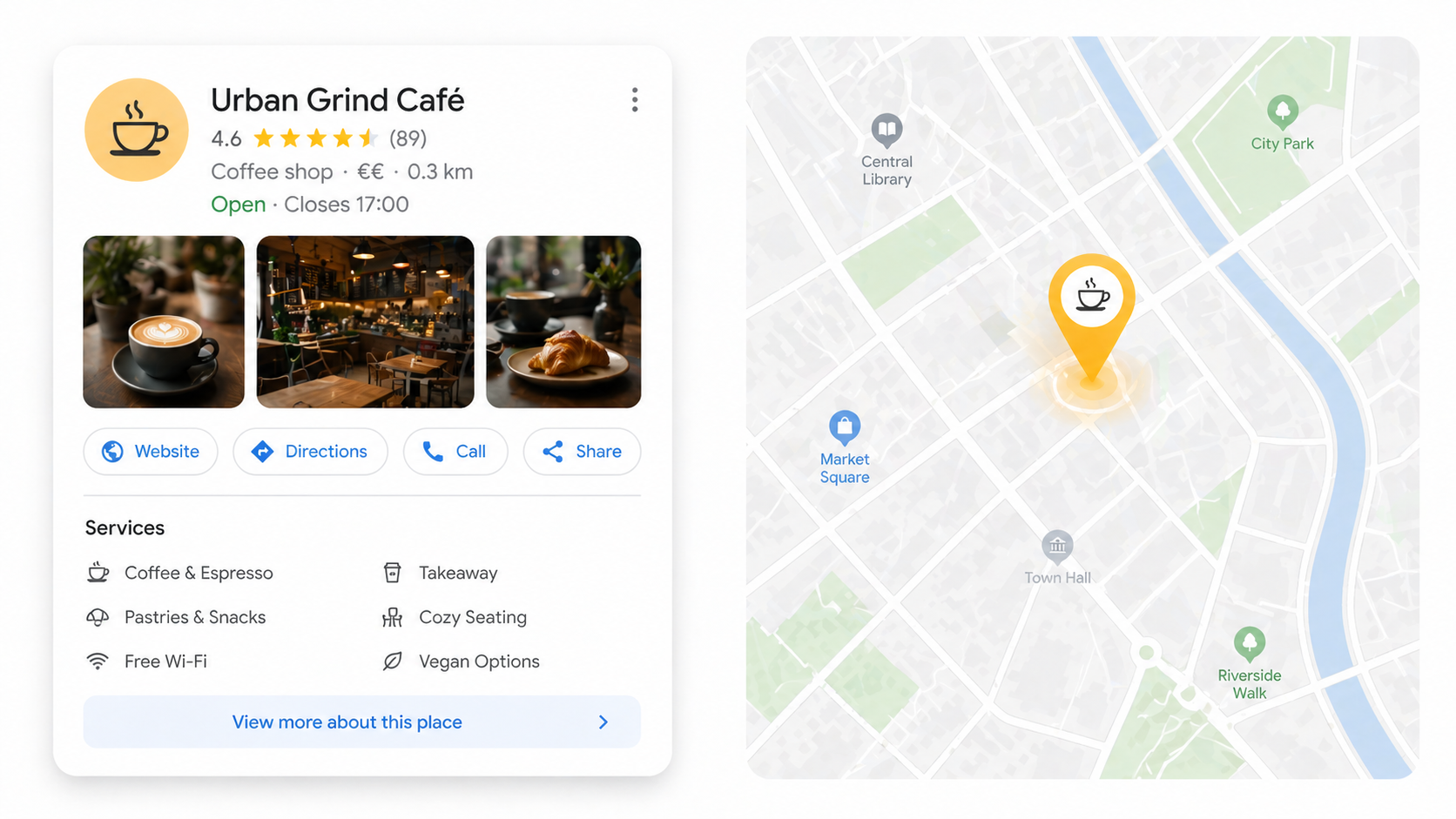
What it is: the “Services” tab in GBP, where you add specific services with descriptions.
What most businesses do wrong: they enter 3 generic categories like “SEO,” “web development,” “marketing” and call it a day.
What works: add all services you actually offer, each with a 100–200 character description containing a keyword in natural context. Each service gets its own card in Search, ranking for long-tail queries your main profile would never catch.
Sterling Sky (one of the most respected research teams in local SEO) proved that entries in the Services tab affect ranking for both explicit and implicit keywords, with the explicit effect being more dramatic. Algorithm response time: 24–72 hours (Sterling Sky — Services impact on GBP ranking).
The practice that works best:
- Group services by intent. Top sellers (most often purchased) — first. Niche upsells — lower.
- Each GBP service has a corresponding page on your website. If “SEO Audit” is a separate service in GBP —
/seo-audit/exists. If you have “Core Web Vitals Optimization” — that page exists too. Matching URLs to GBP services is one of the strongest signals to Google. - Update quarterly. A fresh timestamp on a service card signals to Google that the profile is active.
- Tag service URLs with UTM parameters. That way in GA4 you see which GBP service actually drives conversions and which is decoration.
Real impact: businesses that fill the Services tab from zero to 15+ entries see 20–40% more impressions in GBP Insights within 3 months.
Q&A — the section nobody checks (and the big 2026 shift)
What it is: the questions and answers section in the profile, where users can ask a question and the owner (or another user) answers.
Big 2026 shift: classic Q&A is being gradually replaced by “Ask Maps” — Gemini scans your profile, website, and reviews and generates a conversational answer live, instead of waiting for the owner to reply (Local Mighty — GBP best practices 2026). That means your GBP documentation, Q&A content, and reviews are now direct fuel for AI Overview.
What most businesses do wrong: ignore it until someone posts a confrontational question.
What works: seed the section yourself.
- Make a list of 10–15 most common questions (Sterling Sky checklist suggests exactly this range) you actually receive by email or phone (“Do you serve clients outside the city?”, “How much does the audit cost?”, “What’s your turnaround time?”).
- Post them yourself (from a personal account, not the business account — it should look like a customer question).
- Answer from the business account, including the keyword in natural context, in customer language, not corporate.
- From a second account, vote “helpful” on the answers — that pushes them to the top.
- Daily, check new questions, answer within 24 hours, refresh your seeds monthly.
Q&A appears in the Local Pack, in the knowledge panel, and — critically — in AI Overviews as a cited source. AI quotes Q&A snippets as answers to conversational queries like “does this business do X.”
Business name — strongest ranking factor (and the riskiest in 2026)
Fact: putting the primary keyword in the business name (e.g., “Acme Plumbing Brooklyn” instead of “Acme”) has historically been one of the strongest signals for Local Pack. A single keyword in the name can move the profile from position 7 to 2.
The risk is now far higher than 2 years ago. The March 2026 Core Update specifically targeted local search quality, and enforcement against name-stuffing accelerated drastically — a sweep removing thousands of profiles rolled out over 2 days, the fastest in Google’s history (Tinkerlytics — keyword stuffing penalties).
Penalty scale in 2026:
- Soft Suspension — the profile stays on the maps but you lose management access. Google automatically removes the keyword from the stuffed name and ranking drops.
- Feature Stripping — new in 2026. Google removes selected conversion features: “Book Online”, Messaging, Posts. The profile lives but doesn’t generate leads.
- Full Suspension — the profile disappears from Maps and Search.
According to YellowJackMedia, profile suspensions spiked many times over in Q1 2026 — mostly because of names stuffed with keywords.
What actually works in 2026:
- Acceptable: an extended name you actually use in marketing, on invoices, in the registry — if your business is registered as “Acme Plumbing Services,” you can use that in GBP.
- Dangerous: “Acme — Plumbing Brooklyn Best Plumber 2026” — that’s blatant keyword stuffing. Google’s AI detector flags it instantly, and local competitors will report it on day one.
- Gray area: “Acme Plumbing” — fine if you actually use that form publicly. If you invented it just for GBP, you’re at risk.
- Other common violations: adding city names (“NYC”, “LA”), special characters/emoji, ALL CAPS — anything beyond the official registered name (Birdeye — 2026 GBP guidelines).
The rule: your GBP name should match the signage you’ll show on the verification video. If it doesn’t match — it’s spam.
Posts (Updates) — when they make sense, when they’re wasted time
Posts are short updates with a CTA link that show in the profile for ~7 days.
The myth that persists: “you have to post weekly because Google likes it.” In reality posts are an engagement signal, not a ranking signal (Map Ranks — 2026 GBP guide). A single post once a week doesn’t directly change Local Pack position — but it boosts clicks in the Local panel and signals profile activity.
2026 numbers:
- Profiles with current posts appear in the Local 3-pack 2.8× more often than profiles without them.
- Average CTR on a GBP post is 1.44% — higher than typical display ads or social media (Bloggingwizard GBP statistics).
- 30+ days without a post or new photo — first signs of dropping local visibility.
When posts actually work:
- Time-boxed promotions — “20% off through end of month.” They show as a CTA in the Local Pack and drive clicks with crystal-clear intent.
- Events — a meetup, webinar, opening. GBP automatically surfaces the event in Maps.
- New product launches — you introduce a new service, the post amplifies it in the first days.
When posts waste time:
- “Happy Holidays” — zero conversion, zero ranking impact.
- “SEO trivia of the week” — Local Pack viewers aren’t looking for education, they’re looking for contact.
Minimum frequency: in 2026, 1 post per month is enough to avoid being classified as “inactive” — you don’t need to post weekly (GBP Rank Tracker — Posts Guide 2026).
Products — for e-commerce and priced services
The “Products” tab lets you add products/services with prices and photos. It works as a mini-catalog visible in the Local Pack.
Works best for:
- E-commerce with pickup point (Local Pack shows products with prices).
- Services with transparent pricing (SEO packages, audit prices).
- Restaurants (menu with prices).
Practice: every product with a 50–100 word description + photo + price. Update quarterly.
GBP categories — primary vs secondary
GBP lets you choose one primary category and up to 9 secondary ones.
The primary category is the strongest ranking signal — Google ranks your profile mainly for queries matching that category. Choose the one that best captures your business core, even at the cost of a broader match.
Example: an SEO agency that also offers web development. The primary category “SEO Agency” ranks better for “SEO Brooklyn” than “Internet Marketing Service”, even though the latter is theoretically broader. Because Google knows that for “SEO” queries, dedicated SEO agencies are more relevant.
Secondary categories: add related ones, but don’t overdo it — 9 categories is the maximum, but realistically more than 4–5 dilutes the profile. Each new category signals to Google “I’m also this” — if it’s untrue or superficial, Google notices.
Attributes — small settings, big difference
Attributes are checkboxes like “Wheelchair accessible,” “Free WiFi,” “Women-owned business,” “Online appointments.” Google uses them as filters in local results.
Practice:
- Check all that apply truthfully — not just the ones you think are important.
- Some attributes (e.g., “LGBTQ+ friendly,” “Black-owned”) give visibility for filtered queries in new segments.
- Industry-specific attributes (for restaurants: “Outdoor seating,” “Live music”) are direct match factors for “table reservation with live music.”
GBP photos — what actually helps
GBP shows four photo types:
- Logo — used in the Local Pack as a thumbnail.
- Cover — large image above the profile.
- Interior / exterior — shows the location.
- Work in action (team, products, services in use).
How many photos? Profiles with 30+ photos earn measurably more impressions than those with 3–5. Past ~50 photos the curve flattens.
Frequency: add 2–3 new photos monthly. Fresh timestamps signal activity.
EXIF geotagging (myth): a popular tip — “add GPS to EXIF on photos.” In practice Google strips EXIF on upload to GBP, and independent studies confirm geotagging has no measurable ranking impact:
- Sterling Sky in a controlled test: “adding geotags to images in GBP listings had no measurable impact on rankings” (Sterling Sky — geotagging impact study).
- Search Engine Land cites equivalent results: zero ranking effect (Search Engine Land — geotagging photos study).
In 2026 some specialists go further and call manual geotagging a “poison pill” — it can actively harm if coordinates don’t match the declared address. Instead, invest time in upload frequency (2–3 photos/month), photo captions (file name, alt description on upload), and thematic variety (exterior, interior, team, products/services in action).
Reviews — briefly (we have a dedicated article)
Reviews are the second strongest ranking factor in GBP after the Services tab. The full strategy — how to ask, how to reply, how to handle negatives — is in a separate article: Google reviews and local SEO.
In short:
- Volume matters — but only up to about 50–100 reviews. Beyond that, what matters is the pace (whether new ones keep coming).
- Average rating — 4.6–4.9 outranks “perfect” 5.0 (Google detects fake-perfect).
- Reply to all reviews, including 5-star ones — it’s an activity signal, plus a pretext for natural keyword use (“Thanks for trusting us with your Brooklyn business”).
Messaging and Appointment links — only if you respond in 5 minutes
GBP lets you enable Messaging (chat from the profile) and Appointment link (booking).
These features convert only when you respond within 5 minutes. After 30 minutes the lead is lost — the customer already called the competitor. Google measures your response time and displays it publicly (“Typically replies within 1 hour”). A poor response time tanks profile CTR.
Practical rules:
- Enable Messaging only if you have a person dedicated to replying during business hours.
- Disable at night — better disabled than visibly “Replies in 12 hours.”
- Appointment link — use only for industries where customers actually book (medical, salons, advisors). For “SEO audit” the customer would rather talk first.
GBP Insights — what to measure in 2026
GBP gives you built-in analytics. Key metrics:
- Discovery searches vs direct searches — discovery means category queries (“dentist Brooklyn”), direct means brand-name queries. Growing discovery is a sign your local SEO is actually working.
- Calls — phone calls from the profile. The closest-to-conversion KPI in GBP.
- Direction requests — “Get directions” clicks. Great metric for storefronts.
- Photo views — indirectly tells you whether the profile is visually appealing.
- Profile views vs post views — compare to see whether posts are actually read.
Common mistake: looking only at “how many people viewed the profile.” That’s a vanity metric. Look at how many people clicked phone, directions, website link — those are the conversions.
Practical case — GBP in a mid-size city
Here’s what only works in local SEO and what generic guides miss: market context.
GBP strategy for a business in a megacity is a different game from GBP strategy in a mid-size city. In a megacity (1M+ population), the Local Pack is a fight with 50+ competitors, where even a fully completed GBP isn’t enough without aggressive link-building and citations. In a mid-size city (50–200k population), you realistically compete with 5–8 businesses, of which 3–4 have an incomplete GBP — just filling in every section bumps you up 2–3 positions.
Full mid-market local SEO playbook — including neighborhoods, neighboring towns, and local SERP specifics — is in our local SEO guide.
Common mistakes in 2026
- Stuffing keywords in the business name — after the March 2026 Core Update Google penalizes immediately (soft suspension, feature stripping, full suspension). Competitors report you.
- Multiple GBPs for one location — one address = one profile. Duplicates get flagged as spam.
- Stock photos as business photos — Google can tell the difference (image recognition model). Real photos > stock photos.
- No NAP consistency — your Name-Address-Phone in GBP must be identical to the one on your website, in business directories, and in Schema.org. A signal Google evaluates in aggregate.
- Fill once and forget — a GBP without activity for 30+ days starts losing visibility. Activity (new photos, posts, review replies) outranks “set and forget” profiles significantly.
- Ignoring Q&A — covered above; the first negative comment in Q&A without an answer is a red flag for both Google and customers.
- Service area covering an entire country for SAB — Google ranks SABs best for queries from cities actually covered. A “whole country” declaration dilutes ranking (Google service areas docs).
- Manipulating reviews — April 2026 introduced a new review policy (Launchcodex — review policy update April 2026) with stricter enforcement against fake reviews and “small gift in exchange for a review” schemes. Google detects review distribution patterns, not individual reviews.
Schema.org LocalBusiness — complementing GBP
GBP gives Google what the user sees. Schema.org LocalBusiness on your website gives Google structured data — and helps signal consistency.
The full schema implementation for local businesses is in structured data for local SEO. In short: type LocalBusiness (or more specific like Dentist, Restaurant), fields name, address, telephone, geo, openingHours must be identical to GBP.
Często zadawane pytania
Is GBP free?
Yes, 100%. Google charges nothing to create or maintain a business profile. Only Google Ads (a separate product) is paid.
How long does GBP verification take?
Video: 5 business days. Phone: a few minutes. Postcard: 14–21 days. In 2026 video verification is the most common path for new profiles.
Can I have two GBPs at the same address?
No, if it's the same business. Yes, if two distinct businesses operate at the same address (e.g., a hair salon and a coffee shop in the same building). Each must have its own category, name, and phone number.
What if my business is mobile (SAB) and has no physical address?
Choose Service Area Business. The address is hidden, but you must define a service area (state, cities, zip codes). The headquarters address — e.g., your home — is not displayed publicly.
Do GBP posts affect ranking?
Directly — barely. Indirectly — through profile activity signals. They actually work when they contain a concrete offer (discount, event), not generic content.
How does GBP work with AI Overviews?
AI Overviews cite GBP as a source for queries like 'best X in Y'. A filled-in Services and Q&A section increases the chance of being cited. An empty GBP = no chance to appear in AI Overview.
Summary — GBP 2026 checklist
- Profile verified (preferably via video)
- Correct type chosen: storefront, SAB, or hybrid
- Primary category accurately captures the business core
- 4–5 secondary categories, no more
- Services tab — all services with descriptions, each with a corresponding website page
- Q&A — 5–10 seeded questions with answers
- Attributes — every applicable one checked
- Photos — minimum 30, regularly 2–3 new ones monthly
- Reviews — acquisition process in place, replies to all
- NAP — identical to website and Schema.org
- Posts — only time-boxed promotions and events
- Messaging — enabled only if you reply within 5 min, disabled at night
A GBP filled to this checklist beats competitors who filled three basic fields and moved on. It’s the single highest ROI curve in local SEO 2026 — and it requires no budget.
Sources
Official Google documentation
- Verify your business on Google — official verification guide.
- Manage service areas for SAB — service area configuration.
- Google Business Profile Help — full documentation, regularly updated.
Independent research (ranking factors)
- 2026 Local Search Ranking Factors — Maps, Organic & AI (Advice Local) — annual benchmark, primary category as #1 factor.
- Sterling Sky — Services in GBP impact ranking — controlled test of Services tab impact.
- Sterling Sky — Geotagging photos impact — debunking the EXIF myth.
- Search Engine Land — geotagging photos study — independent test.
- Sterling Sky — Ultimate GBP optimization checklist — Q&A seeding and best practices.
Statistics and benchmarks 2026
- Bloggingwizard — 18 GBP statistics 2026 — profile completeness, photos, posts.
- Local Mighty — GBP best practices 2026 — Ask Maps, Q&A AI replacement.
- Map Ranks — GBP rankings 2026 — posts as engagement vs ranking signal.
- GBP Rank Tracker — Posts Guide 2026 — post frequency.
- ALM Corp — verification flow 2026 — video verification requirements.
Penalty and compliance 2026
- Tinkerlytics — keyword stuffing penalties — March 2026 Core Update and feature stripping.
- YellowJackMedia — GBP suspensions spike 2026 — Q1 2026 suspension wave analysis.
- Birdeye — GBP guidelines 2026 — list of violations.
- Launchcodex — Review policy update April 2026 — new review policy.
Practitioner community
- Reddit r/localseo — “Most overlooked GBP features” thread — Services, Q&A, Posts from practitioners’ perspective.
- BrightLocal — Local Consumer Review Survey, multi-year studies of consumer behavior toward GBP and reviews.
- Whitespark — Local Search Ranking Factors, annual survey of local SEO specialists.